
A fast internet plan can only do so much if your wireless router cannot keep up. If you stream NFL games, watch live sports in 4K, use YouTube TV or other streaming services, game online, or have multiple smart TVs connected at the same time, upgrading your router can make a noticeable difference.
In 2026, WiFi 7 routers are becoming increasingly mainstream, while affordable WiFi 6 models remain excellent choices for households that don’t need the latest networking technology.
We’ve rounded up some of the top-selling and most noteworthy wireless routers of 2026, ranging from affordable WiFi 6 routers to high-performance WiFi 7 and whole-home mesh systems.
Disclosure: StreamCastSport.com is a participant in the Amazon Services LLC Associates Program. As an Amazon Associate, we earn from qualifying purchases. Prices and availability can change at any time.
Quick Picks: Best Wireless Routers of 2026
Router WiFi Standard Best For
TP-Link Archer AX21 AX1800 WiFi 6 Best budget/best-selling option
TP-Link Archer BE6500 WiFi 7 Best value WiFi 7 router
TP-Link Archer BE9700 WiFi 7 Best performance/value upgrade
TP-Link Deco BE63 WiFi 7 Mesh Best whole-home mesh system
Amazon eero 7 WiFi 7 Mesh Best easy-to-use mesh router
Amazon eero Pro 7 WiFi 7 Mesh Best premium eero system
ASUS RT-BE96U WiFi 7 Best high-performance router
NETGEAR Nighthawk WiFi 7 WiFi 7 Best NETGEAR option
- TP-Link Archer AX21 AX1800 WiFi 6 Router
Best Affordable Wireless Router
The TP-Link Archer AX21 AX1800 continues to stand out in 2026 for shoppers who want reliable home WiFi without spending hundreds of dollars.
It is particularly attractive for households using streaming TVs, smartphones, laptops, gaming consoles, and other everyday connected devices.
The Archer AX21 uses WiFi 6 rather than WiFi 7, but that isn’t necessarily a disadvantage for budget-conscious buyers. Many households still don’t have enough WiFi 7-compatible devices to justify paying substantially more for a premium router.
Why We Like It
WiFi 6 connectivity
Dual-band wireless network
Gigabit Ethernet connectivity
Good choice for streaming and everyday internet use
Affordable compared with premium WiFi 7 routers
Strong option for apartments and smaller to medium-sized homes
Best For
The Archer AX21 makes the most sense for someone who wants an inexpensive router for streaming TV, watching live sports, gaming, browsing, and everyday home WiFi.
- TP-Link Archer BE6500 WiFi 7 Router
Best Value WiFi 7 Router
If you’re ready to move from WiFi 6 to WiFi 7 without buying one of the most expensive routers on the market, the TP-Link Archer BE6500 deserves a serious look.
WiFi 7 is designed to provide increased throughput, lower latency, and improved performance for modern networks with many connected devices.
That makes the Archer BE6500 especially appealing for homes where several people may be streaming, gaming, downloading files, and using smart devices simultaneously.
Why We Like It
Next-generation WiFi 7 technology
Speeds rated up to 6.5 Gbps
Multi-gigabit connectivity
Designed to handle numerous connected devices
Strong option for 4K streaming
Suitable for gaming and live sports streaming
Best For
This is one of our favorite choices for buyers looking for a reasonably priced WiFi 7 router for streaming and gaming.
- TP-Link Archer BE9700 Tri-Band WiFi 7 Router
Best WiFi 7 Upgrade for Power Users
The TP-Link Archer BE9700 takes things considerably further with tri-band WiFi 7 connectivity.
For a home entertainment setup with multiple 4K TVs, gaming consoles, streaming boxes, smartphones, computers, and smart-home devices, having additional wireless capacity can become increasingly important.
The BE9700 is particularly interesting for users who have already upgraded—or plan to upgrade—to multi-gigabit internet service.
Why We Like It
Tri-band WiFi 7
High wireless capacity
Multi-gigabit networking
Designed for demanding connected households
Great fit for high-resolution streaming
Strong gaming and entertainment potential
Best For
Choose the Archer BE9700 if you have a high-speed internet connection and want a router capable of supporting a serious streaming and gaming setup.
- TP-Link Deco BE63 WiFi 7 Mesh System
Best WiFi 7 Mesh System for Large Homes
Sometimes the problem isn’t internet speed—it’s coverage.
If your TV or streaming device is located far from your router, adding more raw router speed may not solve dead zones. That’s where a mesh WiFi system such as the TP-Link Deco BE63 becomes attractive.
Multiple Deco units can be positioned around your home to create a larger unified wireless network.
The Deco BE63 combines that mesh architecture with WiFi 7, making it a compelling option for larger homes and households with numerous connected devices.
Why We Like It
WiFi 7
Whole-home mesh coverage
Multiple 2.5 Gigabit Ethernet ports
Wired backhaul support
Designed for large homes
Strong option for multiple streaming TVs
Best For
The Deco BE63 is particularly useful when you have smart TVs, streaming devices, gaming systems, or home offices spread throughout a larger house.
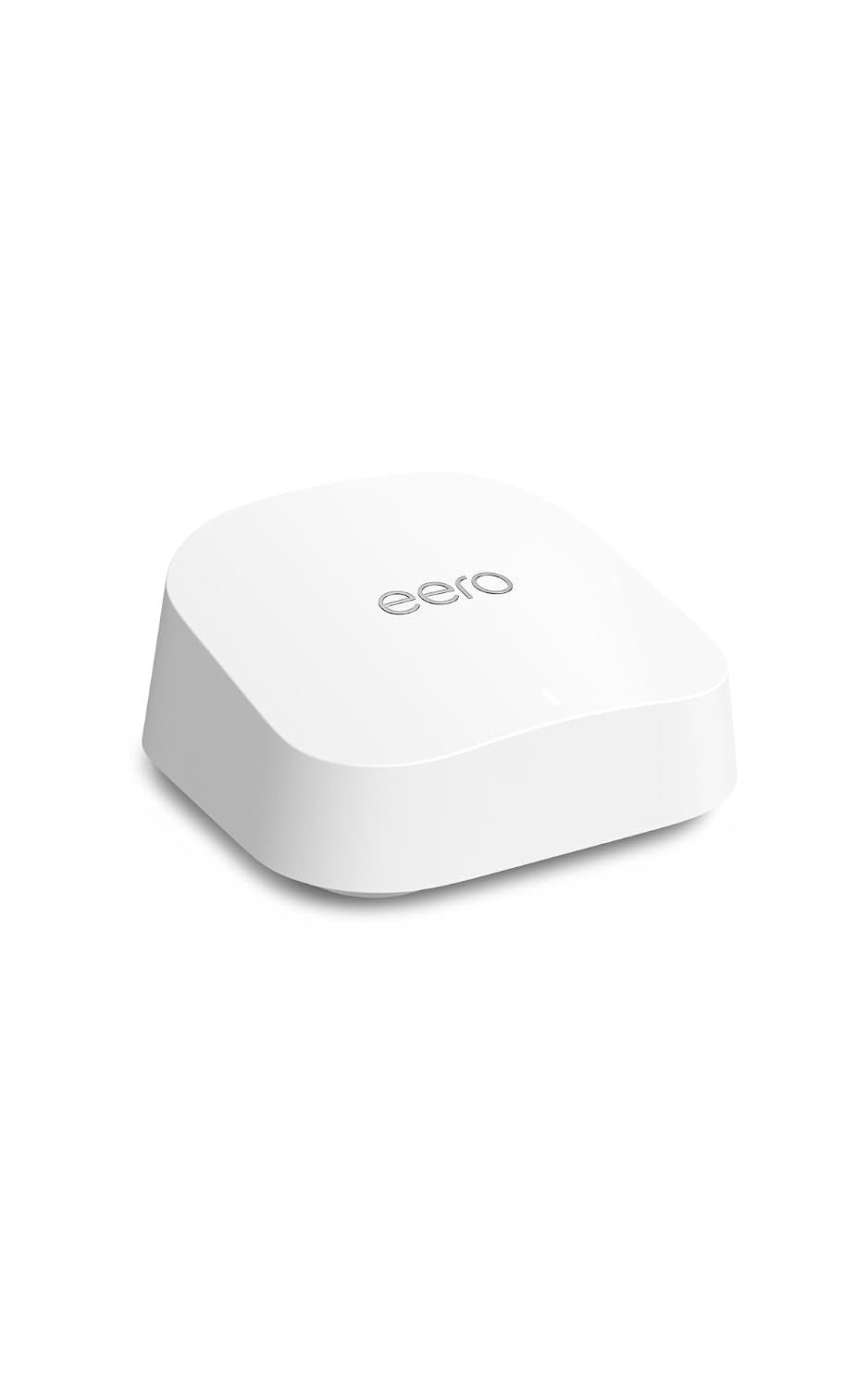
- Amazon eero 7 Mesh WiFi 7 Router
Best Easy-to-Use WiFi 7 Mesh Router
The Amazon eero 7 brings WiFi 7 into eero’s popular mesh networking ecosystem.
One of eero’s biggest advantages has traditionally been simplicity. Instead of requiring users to understand every advanced networking setting, the eero platform is designed around straightforward setup and management.
The eero 7 supports internet plans up to 2.5 Gbps and can be expanded with additional compatible eero units when more coverage is needed.
Why We Like It
WiFi 7
Mesh networking
2.5 Gigabit Ethernet connectivity
Expandable coverage
Straightforward setup
Good fit for smart homes
Best For
The eero 7 is an excellent candidate for households that want modern WiFi 7 performance without turning home networking into a hobby.
- Amazon eero Pro 7 Tri-Band Mesh WiFi 7 Router
Best Premium eero Router
For more demanding households, the eero Pro 7 steps up to a tri-band WiFi 7 design.
It’s intended for homes with faster internet plans and a large number of devices competing for bandwidth.
That’s particularly relevant to sports fans. Imagine streaming a 4K football game in the living room while another TV streams a different game, someone plays online multiplayer upstairs, and several phones, tablets, cameras, and smart-home devices remain connected.
A more capable network can help manage that increasingly crowded environment.
Why We Like It
Tri-band WiFi 7
Supports high-speed internet plans
Mesh expandability
Multi-gigabit Ethernet
Designed for device-heavy households
Excellent smart-home potential
Best For
Consider the eero Pro 7 if you want a premium mesh network for streaming, gaming, smart-home equipment, and numerous connected devices.
- ASUS RT-BE96U Tri-Band WiFi 7 Router
Best High-Performance WiFi 7 Router
The ASUS RT-BE96U is aimed at buyers who care more about performance and networking features than simply finding the cheapest router.
This tri-band WiFi 7 router includes multi-gigabit connectivity and is designed for demanding networks.
For users with fast fiber internet, gaming PCs, high-end streaming equipment, network-attached storage, or multiple 4K and 8K displays, the additional capabilities may justify the premium price.
Why We Like It
Tri-band WiFi 7
6 GHz wireless band
10 Gigabit Ethernet connectivity
Multi-Link Operation
AiMesh compatibility
Built for high-bandwidth networks
Best For
The ASUS RT-BE96U is best suited for enthusiasts, gamers, streamers, and households with multi-gigabit internet service.
- NETGEAR Nighthawk WiFi 7 Router
Best NETGEAR WiFi 7 Router
NETGEAR’s Nighthawk lineup remains one of the most recognizable names in consumer networking, and its WiFi 7 models bring the brand into the latest generation of wireless networking.
Depending on the Nighthawk model you select, NETGEAR offers WiFi 7 routers ranging from relatively affordable dual-band models to extremely powerful multi-gigabit routers.
For StreamCastSport readers, a Nighthawk WiFi 7 router can be particularly appealing for 4K streaming, 8K video, gaming, sports streaming, and multi-device households.
Why We Like It
WiFi 7 options
Multi-gigabit models available
Designed for high-bandwidth applications
Strong streaming and gaming focus
Multiple price and performance tiers
Best For
NETGEAR Nighthawk WiFi 7 routers are worth considering for shoppers who want an established networking brand and performance geared toward entertainment-heavy households.
CHECK NETGEAR NIGHTHAWK WIFI 7 PRICES ON AMAZON
WiFi 6 vs. WiFi 7: Which Should You Buy in 2026?
One of the biggest decisions when buying a wireless router in 2026 is whether to purchase WiFi 6 or move to WiFi 7.
For many households, WiFi 6 is still perfectly capable. If your internet connection is around 500 Mbps or 1 Gbps and most of your devices use WiFi 5 or WiFi 6, an affordable WiFi 6 router can provide excellent value.
WiFi 7 becomes more attractive if you:
Have multi-gigabit internet
Own newer WiFi 7-compatible devices
Stream 4K or 8K content
Play latency-sensitive online games
Have many connected devices
Want to future-proof your home network
Plan to keep the router for several years
You don’t necessarily need WiFi 7 just because it’s newer. Match your router to your internet connection, devices, home size, and budget.
What Router Speed Do You Need for Streaming Sports?
Streaming itself typically doesn’t require the multi-gigabit speeds advertised by premium routers.
The challenge comes when multiple devices are using your internet connection simultaneously.
During football season, for example, one household might have an NFL game streaming in 4K on a 100-inch TV while another game plays in a bedroom, a gaming console is online, phones are connected, and smart-home devices are communicating in the background.
Your router has to manage all of those connections reliably.
For sports-heavy streaming households, prioritize:
Coverage: Your streaming TV needs a strong signal.
Ethernet: When possible, connecting your primary streaming TV or device directly through Ethernet can provide a stable connection.
WiFi 6 or WiFi 7: Both can work extremely well for streaming. WiFi 7 provides additional future-proofing.
Mesh networking: Consider mesh WiFi if your home has dead zones or your TVs are located far from the main router.
Multi-gigabit ports: These become more valuable if you subscribe to internet service faster than 1 Gbps.
Do You Need an Expensive Router for a 4K TV?
Not necessarily.
A quality WiFi 6 router can be more than enough for a single 4K smart TV.
Premium routers become more useful when you have multiple high-bandwidth devices operating simultaneously, a large home, multi-gigabit internet service, or demanding gaming and networking requirements.
Don’t buy a $500 router solely because you own a 4K television.
Instead, consider your entire network.
Is a Mesh Router Better for Streaming?
A mesh router can be significantly better when wireless coverage—not internet speed—is your primary problem.
Traditional routers broadcast from one location. Mesh systems use multiple access points placed throughout your home.
That can make mesh WiFi particularly useful for:
Large homes
Multi-story homes
Basement entertainment rooms
TVs located far from the modem
Outdoor streaming areas
Homes with persistent WiFi dead zones
If your sports streaming constantly buffers in one room while working perfectly near the router, coverage may be the real problem.
Best Wireless Router of 2026: Our Verdict
There isn’t one router that’s perfect for every household.
For shoppers prioritizing affordability, the TP-Link Archer AX21 AX1800 remains an excellent entry point.
For buyers ready to upgrade to WiFi 7 without spending a fortune, the TP-Link Archer BE6500 provides an appealing balance of price and next-generation technology.
For large homes, the TP-Link Deco BE63 combines WiFi 7 with whole-home mesh networking.
The eero 7 and eero Pro 7 are compelling alternatives for users who prioritize easy mesh networking, while routers such as the ASUS RT-BE96U target enthusiasts who want substantially more networking horsepower.
The right router ultimately depends on your internet speed, home size, number of devices, streaming habits, and budget.
Shop Wireless Routers on Amazon
Ready to upgrade your home network?
SHOP BEST-SELLING WIRELESS ROUTERS ON AMAZON
A better home network can help you spend less time troubleshooting buffering and more time watching the game.
Frequently Asked Questions
What is the best wireless router to buy in 2026?
The best router depends on your needs. The TP-Link Archer AX21 remains a strong budget WiFi 6 choice, while newer WiFi 7 routers such as the TP-Link Archer BE6500 offer more future-proof technology. Large homes may benefit more from a mesh system such as the TP-Link Deco BE63 or eero 7.
Is WiFi 7 worth buying in 2026?
WiFi 7 is increasingly worth considering for buyers with newer devices, multi-gigabit internet, large numbers of connected devices, or plans to keep their router for several years. WiFi 6 remains sufficient for many households.
What is the best router for 4K sports streaming?
Look for a reliable WiFi 6 or WiFi 7 router with strong coverage. For larger homes, a mesh WiFi system may provide better results than a single powerful router.
Will a better router stop buffering?
It can if poor wireless coverage, congestion, or an outdated router is causing the problem. A new router cannot fix a slow or unreliable internet connection from your internet service provider.
Is Ethernet better than WiFi for streaming?
A wired Ethernet connection generally provides a stable connection and is worth considering for stationary devices such as smart TVs, streaming boxes, gaming consoles, and home theater equipment.
How often should you replace a wireless router?
There is no universal replacement schedule. Consider upgrading when your current router no longer provides adequate speed or coverage, cannot handle your connected devices reliably, lacks features you need, or prevents you from taking advantage of a faster internet connection.
When you click an Amazon affiliate link on StreamCastSport.com and make a qualifying purchase, we may earn a commission at no additional cost to you. This helps support the operation of StreamCastSport.com and allows us to continue creating content for our readers.